React Coding Practice
Q. Create a multilevel dropdown menu in React?
Input: [
  {
    label: "Menu 1",
  },
  {
    label: "Menu 2",
    submenu: [{ label: "Sub Menu 1" }, { label: "Sub Menu 2" }],
  },
  {
    label: "Menu 3",react-coding-practice.md
    submenu: [
      { label: "Sub Menu 1" },
      { label: "Sub Menu 2" },
      { label: "Sub Menu 3" },
      { label: "Sub Menu 4" },
    ],
  },
  {
    label: "Menu 4",
    submenu: [{ label: "Sub Menu 1" }, { label: "Sub Menu 2" }],
  },
];
Answer
```js import React, { useState } from "react"; const menuData = [ { label: "Menu 1" }, { label: "Menu 2", submenu: [{ label: "Sub Menu 1" }, { label: "Sub Menu 2" }], }, { label: "Menu 3", submenu: [ { label: "Sub Menu 1" }, { label: "Sub Menu 2", submenu: [ { label: "Nested Sub Menu 1" }, { label: "Nested Sub Menu 2" }, ], }, { label: "Sub Menu 3" }, ], }, { label: "Menu 4", submenu: [{ label: "Sub Menu 1" }, { label: "Sub Menu 2" }], }, ]; function MenuItem({ item }) { const [open, setOpen] = useState(false); const hasSubmenu = Array.isArray(item.submenu) && item.submenu.length > 0; return ( <li style=> <button onClick={() => hasSubmenu && setOpen((prev) => !prev)} style= > {item.label} {hasSubmenu ? (open ? "-" : "+") : ""} </button> {hasSubmenu && open && ( <ul style= > {item.submenu.map((subItem, index) => ( <MenuItem key={`${subItem.label}-${index}`} item={subItem} /> ))} </ul> )} </li> ); } export default function App() { return ( <div style=>Multi-Level Dropdown Menu
<ul style=> {menuData.map((item, index) => ( <MenuItem key={`${item.label}-${index}`} item={item} /> ))} </ul> </div> ); } ```Q. Create a functional component that displays data from https://reqres.in/api/users?
Answer
```js import { useEffect, useState } from "react"; import axios from "axios"; export default function App() { const [users, setUsers] = useState<{ id: number; name: string; email: string }[]>([]); useEffect(() => { axios.get("https://jsonplaceholder.typicode.com/users").then((response) => { setUsers(response.data); }); }, []); return (-
{users.map((user) => (
<li key={user.id}>
{user.name} - {user.email}
</li>
))}
Q. Write a program to display searched keyword in React?
Answer
```js import { useState } from "react"; function App() { const [search, setSearch] = useState(""); return (Update Data from an input
Q. Create a functional component to show an alert message based on user input?
Answer
```js import { useEffect, useState } from "react"; function App() { const [phrase, setPhrase] = useState(""); useEffect(() => { if (phrase === "Hello React") { alert("You may pass!"); } }, [phrase]); return (What is the secret phrase?
<input type="text" value={phrase} onChange={(e) => setPhrase(e.target.value)} placeholder="Enter a secret" />Hint: It is Hello React
Q. Create a functional component in react to add two numbers?
Answer
```js import { useState } from "react"; export default function App() { const [number1, setNumber1] = useState(0); const [number2, setNumber2] = useState(0); return (Adding Two Numbers
Total: {number1 + number2}
Q. Create a simple counter in react?
Answer
```js import { useCallback, useState } from "react"; const App = () => { const [counter, setCounter] = useState(0); const increment = useCallback(() => setCounter((c) => c + 1), []); const decrement = useCallback(() => setCounter((c) => c - 1), []); return (Counter: {counter}
Q. Write a program to pass values to child using context in React?
Answer
```js // Counter.js const { useState, useContext } = React; const CountContext = React.createContext(); const Counter = () => { const { count, increase, decrease } = useContext(CountContext); return (<button onClick={decrease}>Decrement</button> {count} <button onClick={increase}>Increment</button>
); }; ``` ```js // App.js const App = () => { const [count, setCount] = useState(0); const increase = () => { setCount(count + 1); }; const decrease = () => { setCount(count - 1); }; return (Q. Create a simple ToDo list app using React?
Answer
```js import { useCallback, useState } from "react"; interface Todo { id: number; text: string; completed: boolean; } export default function App() { const [todos, setTodos] = useState<Todo[]>([]); const [input, setInput] = useState(""); const addTodo = useCallback(() => { const trimmed = input.trim(); if (!trimmed) return; setTodos((prev) => [ ...prev, { id: Date.now(), text: trimmed, completed: false }, ]); setInput(""); }, [input]); const toggleTodo = useCallback((id: number) => { setTodos((prev) => prev.map((todo) => todo.id === id ? { ...todo, completed: !todo.completed } : todo, ), ); }, []); const deleteTodo = useCallback((id: number) => { setTodos((prev) => prev.filter((todo) => todo.id !== id)); }, []); const handleKeyDown = useCallback( (e: React.KeyboardEventToDo List
No tasks yet. Add one above!
) : (-
{todos.map((todo) => (
<li key={todo.id}>
<input
type="checkbox"
checked={todo.completed}
onChange={() => toggleTodo(todo.id)}
/>
<span
style=
>
{todo.text}
</span>
<button
onClick={() => deleteTodo(todo.id)}
aria-label="Delete task"
>
X
</button>
</li>
))}
{todos.filter((t) => t.completed).length} / {todos.length} completed
)}Answer
```js import { useMemo, useState } from "react"; export default function App() { const [searchItem, setSearchItem] = useState(""); const searchResults = useMemo( () => people.filter((person) => person.toLowerCase().includes(searchItem.toLowerCase()), ), [searchItem], ); return (-
{searchResults.map((item) => (
<li key={item}>{item}</li>
))}
Answer
```js import { useState } from "react"; function fizzBuzz(n: number): string | number { if (n % 15 === 0) return "FizzBuzz"; if (n % 3 === 0) return "Fizz"; if (n % 5 === 0) return "Buzz"; return n; } export default function FizzBuzz() { const [count, setCount] = useState(1); return (React Fizz Buzz Program
Counting incrementally, replacing any number divisible by three with the word “fizz”, and any number divisible by five with the word “buzz”.{fizzBuzz(count)}
<button onClick={() => setCount((c) => Math.max(1, c - 1))}>-</button> <button onClick={() => setCount((c) => c + 1)}>+</button>Answer
**1. Using React.forwardRef():** ```js import { forwardRef, useRef, useImperativeHandle } from "react"; const Child = forwardRef((props, ref) => { useImperativeHandle(ref, () => ({ getMessage() { alert("Message from Child"); }, })); returnChild Component
; }); const Parent = () => { const childRef = useRef(); return (Child Component
; } } ``` **⚝ [Try this example on CodeSandbox](https://codesandbox.io/s/react-createref-t0gud?file=/src/index.js)** **3. Using callback Ref API:** ```js class Parent extends React.Component { render() { return (Child Component
; } } ``` **⚝ [Try this example on CodeSandbox](https://codesandbox.io/s/react-callback-ref-api-kp30y?file=/src/index.js)**Answer
```js import { useState } from "react"; export default function App() { const [show, setShow] = useState(true); return (Hello World!
}Answer
**Using function as a Prop:** ```js import { useState } from "react"; function Child({ text, onUpdate }: Readonly<{ text: string; onUpdate: (value: string) => void }>) { return ( <button onClick={() => onUpdate("Parent State Changed")}>{text}</button> ); } export default function Parent() { const [text, setText] = useState("Click Me!"); return <Child text={text} onUpdate={setText} />; } ``` **⚝ [Try this example on CodeSandbox](https://codesandbox.io/s/react-function-as-a-prop-2unfh?file=/src/App.js)**Answer
```js import React, { Component } from "react"; import logo from "./react_photo-goose.jpg"; export default class Header extends Component { render() { return (Answer
Accessing child state via ref is an anti-pattern — state should be lifted to the parent. When you genuinely need to call a method on a child (e.g. focus an input, trigger an animation), use **useImperativeHandle** and **forwardRef**: ```js import { forwardRef, useImperativeHandle, useRef, useState } from "react"; const Child = forwardRef(function Child(_, ref) { const [value, setValue] = useState(""); useImperativeHandle(ref, () => ({ getValue: () => value, })); return <input value={value} onChange={(e) => setValue(e.target.value)} />; }); export default function Parent() { const childRef = useRef < { getValue: () => string } > null; return ( <> <Child ref={childRef} /> <button onClick={() => alert(childRef.current?.getValue())}>Read</button> </> ); } ``` **⚝ [Try this example on CodeSandbox](https://codesandbox.io/s/access-child-state-p2iip?file=/src/App.js)**Answer
**event.target.getAttribute:** ```js export default function Header() { const handleClick = (event: React.MouseEventAnswer
```js import { useState } from "react"; function Counter({ onIncrement, count, }: Readonly<{ onIncrement: () => void; count: number }>) { return ({count}
Answer
```js import { useState } from "react"; type User = { id: number; name: string }; const initialUsers: User[] = [ { id: 101, name: "Tanu Kanda" }, { id: 102, name: "Sathwik Bhatti" }, { id: 103, name: "Vritika Nath" }, { id: 104, name: "Chanda Mittal" }, { id: 105, name: "Sumati Pau" }, ]; export default function ListComponent() { const [users, setUsers] = useState<User[]>(initialUsers); const deleteById = (id: number) => setUsers((prev) => prev.filter((user) => user.id !== id)); return (Delete an item from state array
-
{users.map((user) => (
<li key={user.id}>
<button onClick={() => deleteById(user.id)}>X - </button>
{user.name}
</li>
))}
Error: {error}
; if (!data) returnLoading…
; return{JSON.stringify(data, null, 2)};
}
```
## Q. Pass props in Link react-router
**render props:**
```js
import { BrowserRouter as Router, Link, Route, Routes } from "react-router-dom";
function IndexPage() {
return Home Page
; } function PropsPage({ title }: Readonly<{ title: string }>) { return{title}
; } export default function App() { return (React version: {version}
Current Time: {time}
; } ``` **⚝ [Try this example on CodeSandbox](https://codesandbox.io/s/update-component-every-second-i0gk5?file=/src/App.js)** ## Q. How to declare a global variable in React? **Window Object:** ```js const name = "Hello React"; export default function App() { return (Global variable using window object
{name}
State variable: {stateValue}
<button onClick={handleIncrementRef}>Increment Ref (no re-render)</button> <button onClick={() => setStateValue((v) => v + 1)}> Increment State (re-renders) </button>-
{posts.map((post) => (
<li key={post.id}>
<a href={`/posts/${post.id}`}>{post.title}</a>
</li>
))}
Do you feel good today?
Parent Component!
{this.props.children} </> ); } } ``` ```js // Child.js export default class Child extends React.Component { render() { return ( <>Child Component!
</> ); } } ``` ```js // index.js import Parent from "./Parent"; import Child from "./Child"; const rootElement = document.getElementById("root"); ReactDOM.render(Login
<button onClick={onLogin}>Log in</button>Dashboard (protected)
<button onClick={onLogout}>Log out</button>File Upload in React
<input type="file" name="file" onChange={(e) => { fileRef.current = e.target.files?.[0] ?? null; }} /> <button onClick={handleUpload}>Upload</button>{value}
</> ); } ``` **⚝ [Try this example on CodeSandbox](https://codesandbox.io/s/react-search-using-settimeout-9d8vd?file=/src/App.js)** ## Q. How to implement default or NotFound page? ```js import { Link, BrowserRouter as Router, Route, Routes } from "react-router-dom"; const IndexPage = () =>Home Page
; const AboutPage = () =>About Page
; const NoMatchPage = () =>Page Not Found
; export default function App() { return ({count}
<button onClick={() => setCount((c) => c + 1)}>Increment</button> <button onClick={() => setCount((c) => c - 1)}>Decrement</button> <button onClick={() => setCount(0)}>Reset</button> </> ); } ``` ```js // Counter.test.js import { render, screen, fireEvent } from "@testing-library/react"; import Counter from "./page"; describe("Counter", () => { it("renders with initial count of 0", () => { render(React Font Awesome Icons
SVG in React
Repeat an element n times using JSX
Cookies in React
<input placeholder="Cookie value" value={name} onChange={(e) => setName(e.target.value)} /> <button onClick={handle}>Set Cookie</button> {cookies.name &&{slides[current].title}
{slides[current].description}
{current + 1} / {slides.length}
Answer
```js import { useEffect, useReducer } from "react"; type StateLoading…
; if (error) returnError: {error}
; return (-
{data?.map((user) => (
<li key={user.id}>{user.name} — {user.email}</li>
))}
Answer
```js import { useMemo, useState } from "react"; const TOTAL_ITEMS = 100; const PAGE_SIZE = 10; function usePagination(total: number, pageSize: number) { const [page, setPage] = useState(1); const totalPages = Math.ceil(total / pageSize); const items = useMemo(() => { const start = (page - 1) * pageSize + 1; const end = Math.min(page * pageSize, total); return Array.from({ length: end - start + 1 }, (_, i) => start + i); }, [page, pageSize, total]); return { page, totalPages, items, setPage }; } export default function App() { const { page, totalPages, items, setPage } = usePagination(TOTAL_ITEMS, PAGE_SIZE); return ( <>Pagination
-
{items.map((n) => <li key={n}>Item {n}</li>)}
Page {page} of {totalPages}
</> ); } ```Answer
```js import { useState } from "react"; type StarRatingProps = Readonly<{ maxStars?: number; onChange?: (rating: number) => void; }>; function StarRating({ maxStars = 5, onChange }: StarRatingProps) { const [rating, setRating] = useState(0); const [hover, setHover] = useState(0); const handleSelect = (value: number) => { setRating(value); onChange?.(value); }; return ( <div style=> {Array.from({ length: maxStars }, (_, i) => i + 1).map((star) => ( <button key={star} aria-label={`${star} star${star > 1 ? "s" : ""}`} onClick={() => handleSelect(star)} onMouseEnter={() => setHover(star)} onMouseLeave={() => setHover(0)} style= > ★ </button> ))} <span style=> {rating > 0 ? `${rating} / ${maxStars}` : "No rating"} </span> </div> ); } export default function App() { return ( <div style=>Rate this product
<StarRating onChange={(r) => console.log("Rating:", r)} /> </div> ); } ```Answer
```js import { useState, useEffect } from "react"; function useLocalStoragePersisted Input
<input value={name} onChange={(e) => setName(e.target.value)} placeholder="Your name (saved to localStorage)" />Hello, {name || "stranger"}!
Answer
```js import { useState, useEffect, useRef, useCallback } from "react"; const PAGE_SIZE = 20; function generateItems(page: number) { return Array.from({ length: PAGE_SIZE }, (_, i) => ({ id: (page - 1) * PAGE_SIZE + i + 1, text: `Item ${(page - 1) * PAGE_SIZE + i + 1}`, })); } export default function App() { const [items, setItems] = useState(generateItems(1)); const [page, setPage] = useState(1); const [loading, setLoading] = useState(false); const loaderRef = useRefInfinite Scroll (page {page})
-
{items.map((item) => <li key={item.id}>{item.text}</li>)}
Answer
```js import { useState, useTransition, useMemo } from "react"; const ALL_ITEMS = Array.from({ length: 10_000 }, (_, i) => `Item ${i + 1}`); export default function App() { const [query, setQuery] = useState(""); const [filterQuery, setFilterQuery] = useState(""); const [isPending, startTransition] = useTransition(); const filtered = useMemo( () => ALL_ITEMS.filter((item) => item.toLowerCase().includes(filterQuery.toLowerCase())), [filterQuery] ); const handleChange = (e: React.ChangeEventuseTransition Demo
<input value={query} onChange={handleChange} placeholder="Filter 10,000 items…" /> {isPending && <p style=>Updating list…</p>}-
{filtered.slice(0, 100).map((item) => <li key={item}>{item}</li>)}
Answer
```js import { useState } from "react"; type FormValues = { name: string; email: string; password: string }; type FormErrors = Partial<Record<keyof FormValues, string>>; function validate(values: FormValues): FormErrors { const errors: FormErrors = {}; if (!values.name.trim()) errors.name = "Name is required."; if (!values.email.includes("@")) errors.email = "Enter a valid email."; if (values.password.length < 8) errors.password = "Password must be at least 8 characters."; return errors; } export default function SignupForm() { const [values, setValues] = useStateForm submitted successfully!
; return ( <form onSubmit={handleSubmit} noValidate style=>Sign Up
{(["name", "email", "password"] as const).map((field) => ( <div key={field}> {errors[field] && <p style=>{errors[field]}</p>} </div> ))} </form> ); } ``` </details> ## Q. How to implement drag and drop list in React?Answer
```js import { useState, useRef, type DragEvent } from "react"; const initialItems = ["Task A", "Task B", "Task C", "Task D", "Task E"]; export default function DragDropList() { const [items, setItems] = useState(initialItems); const dragIndex = useRef<number | null>(null); const handleDragStart = (index: number) => { dragIndex.current = index; }; const handleDrop = (dropIndex: number) => { if (dragIndex.current === null || dragIndex.current === dropIndex) return; const updated = [...items]; const [dragged] = updated.splice(dragIndex.current, 1); updated.splice(dropIndex, 0, dragged); setItems(updated); dragIndex.current = null; }; return ( <div style=>Drag & Drop List
<ul style=> {items.map((item, index) => ( <li key={item} draggable onDragStart={() => handleDragStart(index)} onDragOver={(e: DragEvent) => e.preventDefault()} onDrop={() => handleDrop(index)} style= > ☰ {item} </li> ))} </ul> </div> ); } ```Answer
```js import { useState, useRef, useEffect, useCallback } from "react"; const SUGGESTIONS = [ "Apple", "Banana", "Blueberry", "Cherry", "Coconut", "Grape", "Guava", "Kiwi", "Lemon", "Mango", "Orange", "Papaya", "Peach", "Pear", "Pineapple", "Plum", "Pomegranate", "Raspberry", "Strawberry", "Watermelon", ]; export default function Autocomplete() { const [query, setQuery] = useState(""); const [open, setOpen] = useState(false); const [activeIndex, setActiveIndex] = useState(-1); const listRef = useRefAutocomplete
<input value={query} onChange={(e) => { setQuery(e.target.value); setOpen(true); setActiveIndex(-1); }} onKeyDown={handleKeyDown} onBlur={() => setTimeout(() => setOpen(false), 150)} onFocus={() => query && setOpen(true)} placeholder="Type a fruit…" style= aria-autocomplete="list" aria-expanded={open} /> {open && filtered.length > 0 && ( <ul ref={listRef} role="listbox" style= > {filtered.map((item, i) => ( <li key={item} role="option" aria-selected={i === activeIndex} onMouseDown={() => select(item)} style= > {item} </li> ))} </ul> )} </div> ); } ``` </details> ## Q. Build a Multi-step Form (Wizard) in React? *ToDo* ## Q. Build a Shopping Cart using useContext and useReducer in React?Answer
```js import { createContext, useContext, useReducer, ReactNode } from "react"; type Product = { id: number; name: string; price: number }; type CartItem = Product & { quantity: number }; type CartAction = | { type: "ADD"; product: Product } | { type: "REMOVE"; id: number } | { type: "INCREMENT"; id: number } | { type: "DECREMENT"; id: number }; function cartReducer(state: CartItem[], action: CartAction): CartItem[] { switch (action.type) { case "ADD": { const existing = state.find((i) => i.id === action.product.id); if (existing) return state.map((i) => i.id === action.product.id ? { ...i, quantity: i.quantity + 1 } : i); return [...state, { ...action.product, quantity: 1 }]; } case "REMOVE": return state.filter((i) => i.id !== action.id); case "INCREMENT": return state.map((i) => i.id === action.id ? { ...i, quantity: i.quantity + 1 } : i); case "DECREMENT": return state.map((i) => i.id === action.id ? { ...i, quantity: Math.max(1, i.quantity - 1) } : i); default: return state; } } const CartContext = createContext<{ cart: CartItem[]; dispatch: React.DispatchProducts
{PRODUCTS.map((p) => ( <div key={p.id} style=> {p.name} — ${p.price} <button onClick={() => dispatch({ type: "ADD", product: p })}>Add to Cart</button>Cart ({cart.reduce((s, i) => s + i.quantity, 0)} items)
{cart.length === 0 ?Empty cart
: cart.map((item) => ( <div key={item.id} style=> <span style=>{item.name}</span> <button onClick={() => dispatch({ type: "DECREMENT", id: item.id })}>-</button> {item.quantity} <button onClick={() => dispatch({ type: "INCREMENT", id: item.id })}>+</button> <button onClick={() => dispatch({ type: "REMOVE", id: item.id })}>✕</button>Shopping Cart
Answer
```js import { useEffect, useRef, ReactNode } from "react"; import { createPortal } from "react-dom"; type ModalProps = Readonly<{ isOpen: boolean; onClose: () => void; title: string; children: ReactNode; }>; function Modal({ isOpen, onClose, title, children }: ModalProps) { const dialogRef = useRefAre you sure you want to proceed?
<div style=> <button onClick={() => setOpen(false)}>Cancel</button> <button onClick={() => { alert("Confirmed!"); setOpen(false); }} style=>Confirm</button> </div> </Modal> </div> ); } ``` </details> ## Q. Create a reusable Tabs component in React?Answer
```js import { useState, ReactNode } from "react"; type Tab = { label: string; content: ReactNode }; type TabsProps = Readonly<{ tabs: Tab[]; defaultIndex?: number }>; function Tabs({ tabs, defaultIndex = 0 }: TabsProps) { const [active, setActive] = useState(defaultIndex); return (Tabs Component
<Tabs tabs={[ { label: "Overview", content:This is the Overview panel.
}, { label: "Details", content:This is the Details panel.
}, { label: "Reviews", content:This is the Reviews panel.
}, ]} /> </div> ); } ```Answer
```js import { useState, ReactNode } from "react"; type AccordionItem = { title: string; content: ReactNode }; function AccordionPanel({ item, isOpen, onToggle }: { item: AccordionItem; isOpen: boolean; onToggle: () => void }) { return ( <div style=> <button aria-expanded={isOpen} onClick={onToggle} style= > {item.title} <span style=>▾</span> </button> {isOpen && ( <div style=> {item.content} </div> )} </div> ); } type AccordionProps = Readonly<{ items: AccordionItem[]; allowMultiple?: boolean }>; export function Accordion({ items, allowMultiple = false }: AccordionProps) { const [openIndexes, setOpenIndexes] = useState<SetFAQ Accordion
<Accordion allowMultiple items={[ { title: "What is React?", content:React is a JavaScript library for building user interfaces.
}, { title: "What is JSX?", content:JSX is a syntax extension that lets you write HTML-like markup in JavaScript.
}, { title: "What are hooks?", content:Hooks let you use state and other React features in functional components.
}, ]} /> </div> ); } ``` </details> ## Q. Implement a `usePrevious` custom hook in React?Answer
```js import { useRef, useEffect, useState } from "react"; function usePrevioususePrevious Hook
Current: {count}
Previous: {prevCount ?? "—"}
<button onClick={() => setCount((c) => c + 1)}>Increment</button> <button onClick={() => setCount((c) => c - 1)} style=>Decrement</button>Answer
```js import { useReducer, useCallback } from "react"; type HistoryStateUndo / Redo Text Editor
<textarea value={value} onChange={(e) => set(e.target.value)} rows={5} style= placeholder="Start typing…" /> <div style=> <button onClick={undo} disabled={!canUndo}>↩ Undo</button> <button onClick={redo} disabled={!canRedo}>↪ Redo</button> </div> </div> ); } ``` </details> ## Q. Implement a Virtual List (windowing) for large data sets in React?Answer
```js import { useRef, useState, useCallback } from "react"; const TOTAL_ITEMS = 100_000; const ITEM_HEIGHT = 40; const VISIBLE_COUNT = 15; const CONTAINER_HEIGHT = ITEM_HEIGHT * VISIBLE_COUNT; const items = Array.from({ length: TOTAL_ITEMS }, (_, i) => `Row ${i + 1}`); export default function VirtualList() { const [scrollTop, setScrollTop] = useState(0); const containerRef = useRefVirtual List ({TOTAL_ITEMS.toLocaleString()} items)
<div ref={containerRef} onScroll={handleScroll} style= > {/* Spacer to represent full height */} <div style=> <div style=> {visibleItems.map((item, i) => ( <div key={startIndex + i} style= > {item}Answer
```js import { Component, ErrorInfo, ReactNode } from "react"; type ErrorBoundaryState = { hasError: boolean; error: Error | null }; class ErrorBoundary extends Component<{ children: ReactNode; fallback?: ReactNode }, ErrorBoundaryState> { state: ErrorBoundaryState = { hasError: false, error: null }; static getDerivedStateFromError(error: Error): ErrorBoundaryState { return { hasError: true, error }; } componentDidCatch(error: Error, info: ErrorInfo) { // Log to monitoring service (e.g., Sentry) in production console.error("ErrorBoundary caught:", error, info.componentStack); } render() { if (this.state.hasError) { return this.props.fallback ?? ( <div style=>Something went wrong
<pre style=>{this.state.error?.message}</pre> <button onClick={() => this.setState({ hasError: false, error: null })}>Try again</button> </div> ); } return this.props.children; } } // Buggy child to test boundary import { useState } from "react"; function BuggyCounter() { const [count, setCount] = useState(0); if (count === 3) throw new Error("Count reached 3 — intentional crash!"); return (Count: {count} (crashes at 3)
<button onClick={() => setCount((c) => c + 1)}>Increment</button>Error Boundary Demo
<ErrorBoundary fallback={<p style=>Custom fallback UI</p>}>Answer
```js import { useState, useEffect, useRef, useCallback } from "react"; // useDebounce — returns a debounced copy of a value function useDebounceuseDebounce & useThrottle
<input value={input} onChange={(e) => { setInput(e.target.value); throttledLog(e.target.value); }} placeholder="Type here…" style= />Debounced (500 ms): {debouncedInput || "—"}
- {throttleLog.map((l, i) => <li key={i}>{l}</li>)}
Answer
```js import { useState, useMemo } from "react"; type Employee = { id: number; name: string; department: string; salary: number }; type SortKey = keyof Employee; type SortDir = "asc" | "desc"; const DATA: Employee[] = [ { id: 1, name: "Alice Johnson", department: "Engineering", salary: 95000 }, { id: 2, name: "Bob Smith", department: "Marketing", salary: 72000 }, { id: 3, name: "Carol White", department: "Engineering", salary: 105000 }, { id: 4, name: "David Brown", department: "HR", salary: 68000 }, { id: 5, name: "Eva Martinez", department: "Engineering", salary: 112000 }, { id: 6, name: "Frank Lee", department: "Marketing", salary: 75000 }, { id: 7, name: "Grace Kim", department: "HR", salary: 71000 }, ]; export default function DataTable() { const [filter, setFilter] = useState(""); const [sortKey, setSortKey] = useStateEmployee Table
<input value={filter} onChange={(e) => setFilter(e.target.value)} placeholder="Filter…" style= /> <table style=>Answer
```tsx // app/users/page.tsx (Server Component — default in App Router) type User = { id: number; name: string; email: string }; async function getUsers(): Promise<User[]> { const res = await fetch("https://jsonplaceholder.typicode.com/users", { cache: "no-store", // SSR — always fetch fresh data on every request }); if (!res.ok) throw new Error("Failed to fetch users"); return res.json(); } export default async function UsersPage() { const users = await getUsers(); return ( <main style=>Users (SSR)
-
{users.map((user) => (
<li key={user.id}>
{user.name} — {user.email}
</li>
))}
Answer
```tsx // app/posts/page.tsx — ISR with 60-second revalidation type Post = { id: number; title: string; body: string }; async function getPosts(): Promise<Post[]> { const res = await fetch("https://jsonplaceholder.typicode.com/posts?_limit=10", { next: { revalidate: 60 }, // ISR: regenerate at most once every 60 seconds }); if (!res.ok) throw new Error("Failed to fetch posts"); return res.json(); } export default async function PostsPage() { const posts = await getPosts(); return ( <main style=>Posts (ISR — revalidates every 60s)
<p style=>Built at: {new Date().toLocaleTimeString()}</p>-
{posts.map((post) => (
<li key={post.id} style=>
{post.title}
<p style=>{post.body.slice(0, 80)}…</p>
</li>
))}
Answer
```tsx // app/api/users/[id]/route.ts import { NextRequest, NextResponse } from "next/server"; type User = { id: number; name: string; email: string }; const USERS: User[] = [ { id: 1, name: "Alice Johnson", email: "alice@example.com" }, { id: 2, name: "Bob Smith", email: "bob@example.com" }, { id: 3, name: "Carol White", email: "carol@example.com" }, ]; export async function GET( _req: NextRequest, { params }: { params: { id: string } } ) { const id = Number(params.id); if (!Number.isInteger(id) || id <= 0) { return NextResponse.json({ error: "Invalid user ID" }, { status: 400 }); } const user = USERS.find((u) => u.id === id); if (!user) { return NextResponse.json({ error: "User not found" }, { status: 404 }); } return NextResponse.json(user); } export async function PUT( req: NextRequest, { params }: { params: { id: string } } ) { const id = Number(params.id); if (!Number.isInteger(id) || id <= 0) { return NextResponse.json({ error: "Invalid user ID" }, { status: 400 }); } const body = await req.json().catch(() => null); if (!body || typeof body.name !== "string" || typeof body.email !== "string") { return NextResponse.json({ error: "Invalid request body" }, { status: 400 }); } const userIndex = USERS.findIndex((u) => u.id === id); if (userIndex === -1) { return NextResponse.json({ error: "User not found" }, { status: 404 }); } USERS[userIndex] = { ...USERS[userIndex], name: body.name, email: body.email }; return NextResponse.json(USERS[userIndex]); } ```Answer
```tsx // app/contact/actions.ts "use server"; type FormState = { success: boolean; message: string }; export async function submitContact( _prevState: FormState, formData: FormData ): PromiseContact Us
{state.message && ( <p style=>{state.message}</p> )} <form action={formAction} style=> <input name="name" placeholder="Your name" required style= /> <input name="email" type="email" placeholder="Your email" required style= /> <textarea name="message" placeholder="Your message" rows={4} required style= />Answer
```tsx // middleware.ts (project root) import { NextRequest, NextResponse } from "next/server"; const PROTECTED_ROUTES = ["/dashboard", "/profile", "/settings"]; const PUBLIC_ROUTES = ["/login", "/register"]; export function middleware(req: NextRequest) { const { pathname } = req.nextUrl; const token = req.cookies.get("auth-token")?.value; const isProtected = PROTECTED_ROUTES.some((r) => pathname.startsWith(r)); const isPublic = PUBLIC_ROUTES.some((r) => pathname.startsWith(r)); // Redirect unauthenticated users away from protected routes if (isProtected && !token) { const loginUrl = new URL("/login", req.url); loginUrl.searchParams.set("callbackUrl", pathname); return NextResponse.redirect(loginUrl); } // Redirect authenticated users away from login/register if (isPublic && token) { return NextResponse.redirect(new URL("/dashboard", req.url)); } return NextResponse.next(); } export const config = { matcher: ["/dashboard/:path*", "/profile/:path*", "/settings/:path*", "/login", "/register"], }; ``` ```tsx // app/login/page.tsx — login page that sets the cookie "use client"; import { useRouter, useSearchParams } from "next/navigation"; import { useState } from "react"; export default function LoginPage() { const router = useRouter(); const params = useSearchParams(); const [error, setError] = useState(""); const handleLogin = async (e: React.FormEventLogin
{error && <p style=>{error}</p>} <input name="email" type="email" placeholder="Email" required style= /> <input name="password" type="password" placeholder="Password" required style= /> <button type="submit" style=>Sign In</button> </form> ); } ``` </details> --- ## Redux Toolkit Coding Questions --- ## Q. Build a Counter app using Redux Toolkit (`createSlice`, `useSelector`, `useDispatch`)?Answer
```js // store/counterSlice.ts import { createSlice, PayloadAction } from "@reduxjs/toolkit"; type CounterState = { value: number; step: number }; const counterSlice = createSlice({ name: "counter", initialState: { value: 0, step: 1 } as CounterState, reducers: { increment: (state) => { state.value += state.step; }, decrement: (state) => { state.value -= state.step; }, reset: (state) => { state.value = 0; }, setStep: (state, action: PayloadActionRedux Counter: {value}
<div style=> <button onClick={() => dispatch(decrement())}>-</button> <button onClick={() => dispatch(increment())}>+</button> <button onClick={() => dispatch(reset())}>Reset</button> <button onClick={() => dispatch(incrementByAmount(10))}>+10</button> </div> </div> ); } ``` ```js // App.tsx import { Provider } from "react-redux"; import { store } from "./store/store"; import Counter from "./Counter"; export default function App() { return <Provider store={store}>Answer
```js // store/cartSlice.ts import { createSlice, PayloadAction } from "@reduxjs/toolkit"; export type CartItem = { id: number; name: string; price: number; quantity: number }; const cartSlice = createSlice({ name: "cart", initialState: [] as CartItem[], reducers: { addItem: (state, action: PayloadAction<Omit<CartItem, "quantity">>) => { const existing = state.find((i) => i.id === action.payload.id); if (existing) { existing.quantity += 1; } else { state.push({ ...action.payload, quantity: 1 }); } }, removeItem: (state, action: PayloadActionProducts
{PRODUCTS.map((p) => ( <div key={p.id} style=> {p.name} — ${p.price} <button onClick={() => dispatch(addItem(p))}>Add to Cart</button>Cart ({count} items)
{items.length === 0 ?Your cart is empty.
: ( <> {items.map((item) => ( <div key={item.id} style=> <span style=>{item.name}</span> <input type="number" min={1} value={item.quantity} onChange={(e) => dispatch(updateQuantity({ id: item.id, quantity: Number(e.target.value) }))} style= /> ${(item.price * item.quantity).toFixed(2)} <button onClick={() => dispatch(removeItem(item.id))}>✕</button>Answer
```js // store/postsSlice.ts import { createSlice, createAsyncThunk } from "@reduxjs/toolkit"; type Post = { id: number; title: string; body: string }; type PostsState = { data: Post[]; loading: boolean; error: string | null }; export const fetchPosts = createAsyncThunk<Post[], void, { rejectValue: string }>( "posts/fetchAll", async (_, { rejectWithValue }) => { const res = await fetch("https://jsonplaceholder.typicode.com/posts?_limit=10"); if (!res.ok) return rejectWithValue(`HTTP error ${res.status}`); return res.json() as Promise<Post[]>; } ); const postsSlice = createSlice({ name: "posts", initialState: { data: [], loading: false, error: null } as PostsState, reducers: {}, extraReducers: (builder) => { builder .addCase(fetchPosts.pending, (state) => { state.loading = true; state.error = null; }) .addCase(fetchPosts.fulfilled, (state, action) => { state.loading = false; state.data = action.payload; }) .addCase(fetchPosts.rejected, (state, action) => { state.loading = false; state.error = action.payload ?? "Unknown error"; }); }, }); export default postsSlice.reducer; ``` ```js // PostsList.tsx import { useEffect } from "react"; import { useDispatch, useSelector } from "react-redux"; import type { RootState, AppDispatch } from "./store/store"; import { fetchPosts } from "./store/postsSlice"; export default function PostsList() { const dispatch = useDispatchLoading posts…
; if (error) return <p style=>Error: {error}</p>; return ( <div style=>Posts (fetched via createAsyncThunk)
-
{data.map((post) => (
<li key={post.id} style=>
{post.title}
<p style=>{post.body.slice(0, 100)}…</p>
</li>
))}
Answer
```js // store/todosSlice.ts import { createSlice, PayloadAction, createAsyncThunk } from "@reduxjs/toolkit"; export type Todo = { id: number; title: string; completed: boolean }; type TodosState = { items: Todo[]; loading: boolean; filter: "all" | "active" | "completed" }; // Seed data from API on first load export const loadTodos = createAsyncThunk("todos/load", async () => { const res = await fetch("https://jsonplaceholder.typicode.com/todos?_limit=8"); if (!res.ok) throw new Error("Failed to load todos"); return res.json() as Promise<Todo[]>; }); const todosSlice = createSlice({ name: "todos", initialState: { items: [], loading: false, filter: "all" } as TodosState, reducers: { addTodo: (state, action: PayloadActionLoading…
; return ( <div style=>Redux Toolkit CRUD Todo
{/* Add input */} <div style=> <input value={input} onChange={(e) => setInput(e.target.value)} onKeyDown={(e) => e.key === "Enter" && handleAdd()} placeholder="New task…" style= /> <button onClick={handleAdd}>Add</button> </div> {/* Filter */} <div style=> {(["all", "active", "completed"] as const).map((f) => ( <button key={f} onClick={() => dispatch(setFilter(f))} style=> {f.charAt(0).toUpperCase() + f.slice(1)} </button> ))} <button onClick={() => dispatch(clearCompleted())} style=> Clear Completed </button> </div> {/* List */} <ul style=> {visible.map((todo) => ( <li key={todo.id} style=> <input type="checkbox" checked={todo.completed} onChange={() => dispatch(toggleTodo(todo.id))} /> {editId === todo.id ? ( <> <input value={editText} onChange={(e) => setEditText(e.target.value)} onKeyDown={(e) => e.key === "Enter" && handleSaveEdit(todo.id)} style= autoFocus /> <button onClick={() => handleSaveEdit(todo.id)}>Save</button> <button onClick={() => setEditId(null)}>Cancel</button> </> ) : ( <> <span style=> {todo.title} </span> <button onClick={() => { setEditId(todo.id); setEditText(todo.title); }}>✏</button> <button onClick={() => dispatch(deleteTodo(todo.id))}>✕</button> </> )} </li> ))} </ul> <p style=> {items.filter((t) => !t.completed).length} item(s) remaining </p> </div> ); } ``` </details> ## Q. What will be the output after clicking the "Increment" button once in the following component? ```js function Problem() { const [counter, setCounter] = useState(0); const handleIncrement = () => { setCounter(counter + 1); setCounter(counter + 1); setCounter(counter + 1); alert(`Counter value: ${counter}`); }; return (Current Counter: {counter}
<button onClick={handleIncrement}>Increment</button>Answer
**Answer: C) Counter: 1, Alert shows: 0** **Explanation:** 1. **State is a snapshot (closure):** When the event handler runs, `counter` is captured with its current value (0). All three `setCounter` calls use the same captured value: `counter + 1 = 0 + 1 = 1`. React batches these updates and only applies the last one, so the counter shows 1. 2. **Alert timing:** The `alert` executes synchronously before React re-renders, so it shows the old value (0). 3. **Batching:** React batches multiple `setState` calls in event handlers. Since all three calls set state to the same value (1), the result is just 1. **Correct approach — use functional updates:** ```js import React, { useState } from 'react'; function Solution() { const [counter, setCounter] = useState(0); const [correctCounter, setCorrectCounter] = useState(0); // WRONG: Uses stale closure value — counter increments by only 1 const handleIncrementWrong = () => { setCounter(counter + 1); setCounter(counter + 1); setCounter(counter + 1); alert(`Wrong approach - Counter value in alert: ${counter}`); }; // CORRECT: Uses functional updates — counter increments by 3 const handleIncrementCorrect = () => { setCorrectCounter(prev => prev + 1); setCorrectCounter(prev => prev + 1); setCorrectCounter(prev => prev + 1); // Note: Alert still shows old value because state updates are async alert(`Correct approach - Counter value in alert: ${correctCounter} (old value)`); }; return ( <div style=>Wrong Approach (Closure Problem)
Counter: {counter}
<button onClick={handleIncrementWrong}>Increment (Wrong)</button>Correct Approach (Functional Updates)
Counter: {correctCounter}
<button onClick={handleIncrementCorrect}>Increment (Correct)</button> </div> ); } ``` **Key takeaways:** 1. **State is a snapshot:** The state value doesn\'t change during a render. 2. **Closures capture values:** Event handlers capture the state value from when they were created. 3. **Use functional updates:** When new state depends on previous state, use the function form `setState(prev => prev + 1)`. 4. **Async updates:** State updates are asynchronous — you can\'t read the new value immediately after calling `setState`.Count: {count}
Data Value: {data.value}
Answer
**Answer: B) The count increments infinitely causing an infinite loop** **Explanation:** 1. **Object reference problem:** `setData({ value: count })` creates a **new object** every time. React compares dependencies using `Object.is()` (similar to `===`), and `{ value: 0 } !== { value: 0 }` because they are different references. 2. **The infinite loop:** Effect runs → creates new `data` object → triggers re-render → `data` dependency changed → effect runs again → repeats forever. 3. **Root cause:** Objects and arrays are compared by reference, not by value. Each render creates a new object reference, so `useEffect` sees a "different" dependency every time. **Solutions:** ```js import React, { useState, useEffect, useRef } from 'react'; function Solution() { // Solution 1: Empty dependency array — runs once on mount const [count1, setCount1] = useState(0); useEffect(() => { setCount1(prev => prev + 1); }, []); // Empty array = runs once on mount // Solution 2: Depend on a primitive value instead of an object const [count2, setCount2] = useState(0); const [trigger, setTrigger] = useState(0); useEffect(() => { setCount2(prev => prev + 1); }, [trigger]); // Primitive value — stable reference // Solution 3: Use useRef for mutable data that shouldn\'t trigger re-renders const [count3, setCount3] = useState(0); const dataRef = useRef({ value: 0 }); useEffect(() => { setCount3(prev => prev + 1); dataRef.current = { value: count3 }; }, []); // Refs don\'t trigger re-renders return ( <div style=>Solution 1 (empty deps): {count1}
Solution 2 (primitive dep): {count2}
<button onClick={() => setTrigger(t => t + 1)}>Trigger Effect</button>Solution 3 (useRef): {count3}
</div> ); } ``` **Key takeaways:** 1. Always prefer **primitive values** in `useEffect` dependency arrays over objects/arrays. 2. An **empty dependency array** (`[]`) means the effect runs only once on mount. 3. Use **`useRef`** for mutable values that shouldn\'t cause re-renders. 4. Use **`useMemo`** or **`useCallback`** to stabilize object/function references when they must be in the dependency array.I'm a child component
<button onClick={onClick}>Click me from child</button>Parent Count: {count}
<button onClick={() => setCount(count + 1)}>Increment Parent Count</button>Child Clicks: {childClicks}
<ChildComponent onClick={handleClick} />Answer
**Answer: B) `ChildComponent` re-renders every time `count` changes** **Explanation:** 1. **Function reference problem:** Every time the parent re-renders, `handleClick` is recreated as a new function reference. Even though it does the same thing, it is a **new reference**. 2. **Why it re-renders:** Parent count changes → parent re-renders → `handleClick` gets a new reference → child sees a "different" `onClick` prop → child re-renders unnecessarily. 3. **The solution:** Combine `React.memo` (to skip re-renders when props haven\'t changed by reference) with `useCallback` (to memoize the function so its reference stays stable). ```js import React, { useState, useCallback, memo } from 'react'; // Problem: Regular child always re-renders when parent does const RegularChild = ({ onClick }) => { console.log('RegularChild rendered'); return <button onClick={onClick}>Regular Child</button>; }; // Partial fix: memo alone doesn\'t help if the function reference keeps changing const MemoOnly = memo(({ onClick }) => { console.log('MemoOnly rendered'); return <button onClick={onClick}>Memo Only</button>; }); // Full fix: memo + useCallback — re-renders only when necessary const OptimizedChild = memo(({ onClick }) => { console.log('OptimizedChild rendered'); return <button onClick={onClick}>Optimized Child</button>; }); function Solution() { const [count, setCount] = useState(0); const [clicks, setClicks] = useState(0); // Recreated on every render const handleClickWrong = () => setClicks(prev => prev + 1); // Stable reference — only created once const handleClickCorrect = useCallback(() => { setClicks(prev => prev + 1); }, []); // No dependencies — function never changes return ( <div style=>Parent Count: {count}
<button onClick={() => setCount(c => c + 1)}> Increment Parent (watch console) </button>Child Clicks: {clicks}
<RegularChild onClick={handleClickWrong} /> {/* re-renders every time */} <MemoOnly onClick={handleClickWrong} /> {/* still re-renders — function ref changes */} <OptimizedChild onClick={handleClickCorrect} />{/* only re-renders when needed */} </div> ); } ``` **Key takeaways:** 1. **`React.memo`** prevents re-renders when props haven\'t changed — but it compares by reference. 2. **`useCallback`** memoizes a function so its reference stays stable across renders. 3. You need **both** `memo` + `useCallback` for the optimization to work. 4. Only optimize when you have measured a performance problem — premature optimization adds complexity.{data?.name}
{data?.email}
- {data?.map(post => <li key={post.id}>{post.title}</li>)}
Answer
**Answer: B) Code duplication — should extract into a custom hook** **Explanation:** 1. **The problem:** Both components have identical `data`, `loading`, and `error` state management along with the same `useEffect` fetch pattern. Any change must be made in multiple places. 2. **The solution:** Extract the common logic into a `useFetch` custom hook. Custom hooks start with the `use` prefix and can use other hooks (`useState`, `useEffect`, etc.) internally. 3. **Benefits:** DRY (Don\'t Repeat Yourself), easier to test, easier to maintain, and reusable across any component. ```js import React, { useState, useEffect } from 'react'; // Custom Hook — encapsulates loading/error/data pattern function useFetch(fetchFunction, dependencies = []) { const [data, setData] = useState(null); const [loading, setLoading] = useState(true); const [error, setError] = useState(null); useEffect(() => { let cancelled = false; // Cleanup flag prevents state updates on unmounted components const fetchData = async () => { setLoading(true); setError(null); try { const result = await fetchFunction(); if (!cancelled) { setData(result); setLoading(false); } } catch (err) { if (!cancelled) { setError(err.message); setLoading(false); } } }; fetchData(); return () => { cancelled = true; }; // Cleanup on unmount }, dependencies); // eslint-disable-line react-hooks/exhaustive-deps return { data, loading, error }; } // Simulated API functions const fetchUser = () => new Promise(resolve => setTimeout(() => resolve({ name: 'John Doe', email: 'john@example.com', role: 'Developer' }), 1000) ); const fetchPosts = () => new Promise(resolve => setTimeout(() => resolve([ { id: 1, title: 'Understanding React Hooks' }, { id: 2, title: 'Custom Hooks Best Practices' }, ]), 1200) ); // Component 1 — clean, no duplicated logic function UserProfile() { const { data, loading, error } = useFetch(fetchUser, []); if (loading) returnName: {data?.name}
Email: {data?.email}
Role: {data?.role}
-
{data?.map(post => <li key={post.id}>{post.title}</li>)}
Custom Hook Demo
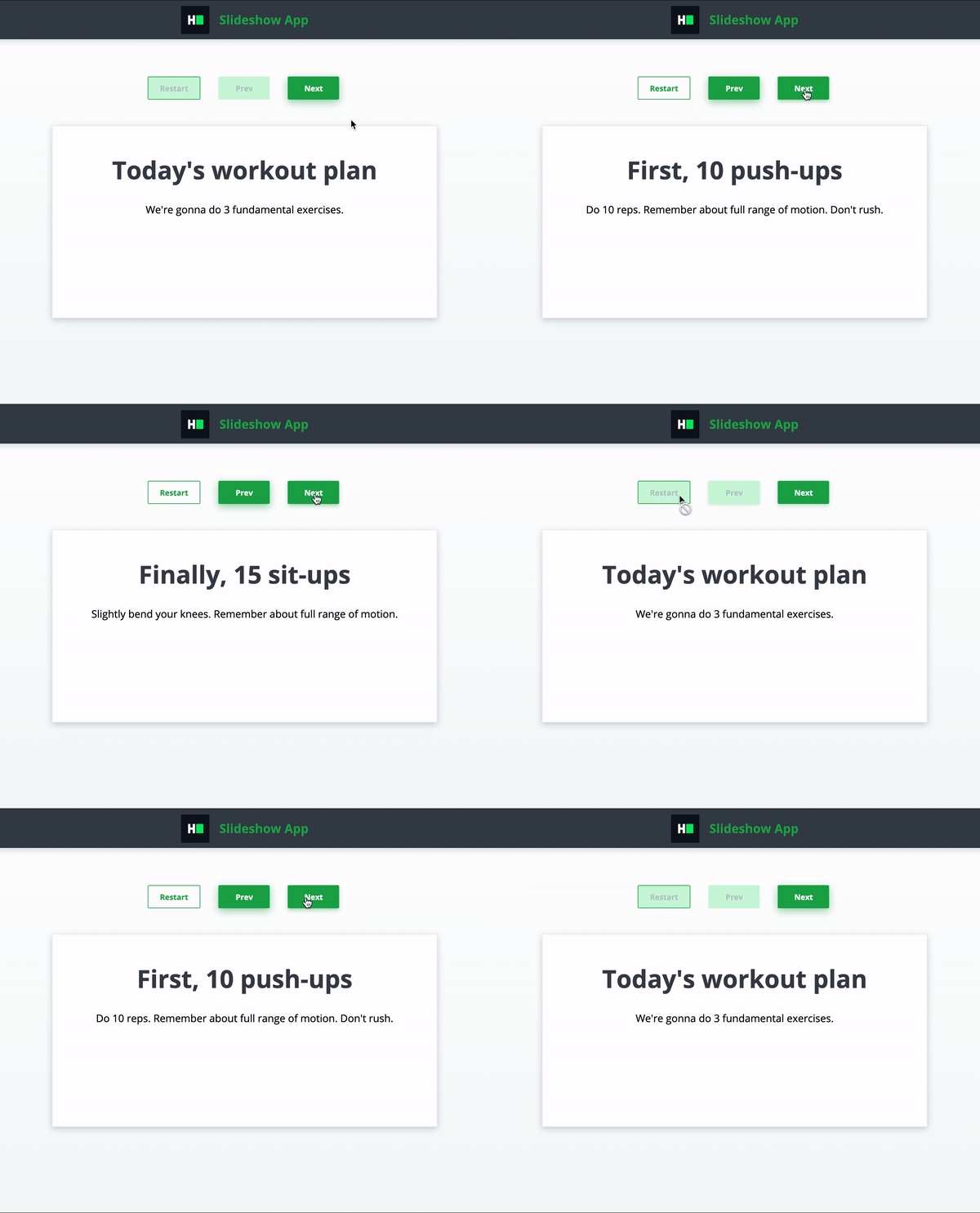
 ## [Slideshow App](https://github.com/hackerrank-test/hackerrank-react-slideshow-app)
 ## [Catalog Viewer](https://github.com/hackerrank-test/hackerrank-react-catalog-viewer)